
 Ian Griffiths
1ffbcad513
Add ResetExceptionDispatchState operator and document exception reuse limitations (#2237)
Ian Griffiths
1ffbcad513
Add ResetExceptionDispatchState operator and document exception reuse limitations (#2237)
|
2 месяцев назад | |
|---|---|---|
| .. | ||
| Properties | 12 лет назад | |
| HomoIcon.csproj | 2 месяцев назад | |
| HomoIcon.sln | 12 лет назад | |
| HomoIcon.vssscc | 12 лет назад | |
| Program.cs | 2 лет назад | |
| README.md | 7 лет назад | |
| app.config | 2 месяцев назад | |
| enable-xml-documentation.gif | 7 лет назад | |

README.md
The HomoIcon Tool
The HomoIcon tool generates a part of the Qbservable implementation on the basis of the public Observable API.
When do I use the tool?
Whenever an Observable operator is added, removed, changed or its documentation is changed, the homoicon tool
needs to be executed to keep the Qbservable and the Observable implementation in sync.
How do I use the tool?
- Apply your changes to the
ObservableAPI. - Enable the XML documentation in the System.Reactive and the System.Reactive.Observable.Aliases project properties.
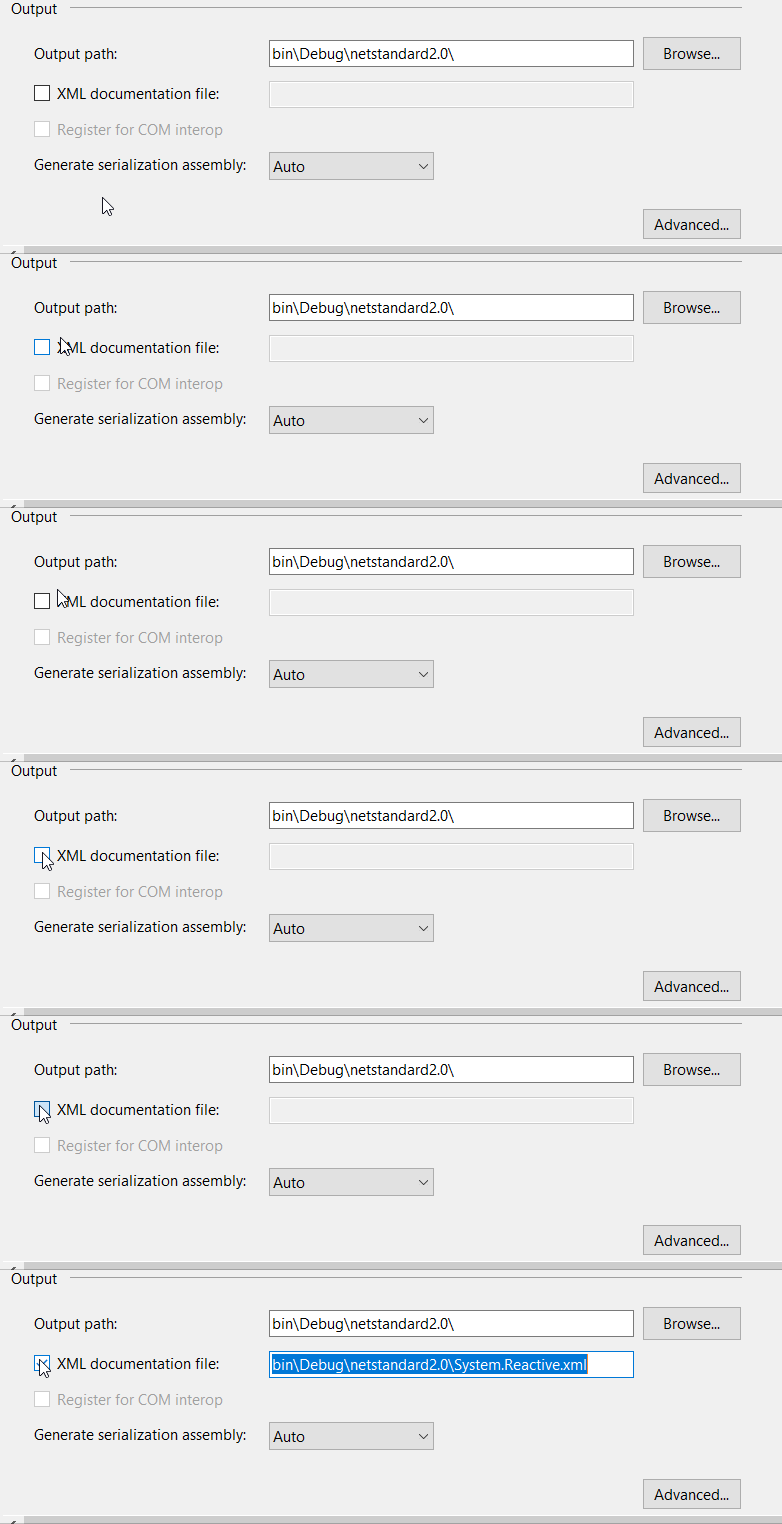
- Rebuild the Rx solution.
- You should have now the dll and xml files in the
System.Reactive\bin\Debug\netstandard2.0andSystem.Reactive.Observable.Aliases\bin\Debug\netstandard2.0folders. - Build and execute the HomoIcon tool.