
适合在 Web 服务器中部署 http://ariang.mayswind.net/zh_Hans/
 MaysWind
a7c5dd0402
remove bootstrap contextmenu
MaysWind
a7c5dd0402
remove bootstrap contextmenu
|
3 年之前 | |
|---|---|---|
| .circleci | 4 年之前 | |
| scripts | 7 年之前 | |
| src | 3 年之前 | |
| .editorconfig | 7 年之前 | |
| .eslintrc.json | 9 年之前 | |
| .gitattributes | 9 年之前 | |
| .gitignore | 6 年之前 | |
| LICENSE | 3 年之前 | |
| README.md | 4 年之前 | |
| gulpfile.js | 4 年之前 | |
| package-lock.json | 3 年之前 | |
| package.json | 3 年之前 |
README.md
AriaNg



Introduction
AriaNg is a modern web frontend making aria2 easier to use. AriaNg is written in pure html & javascript, thus it does not need any compilers or runtime environment. You can just put AriaNg in your web server and open it in your browser. AriaNg uses responsive layout, and supports any desktop or mobile devices.
Features
- Pure Html & Javascript, no runtime required
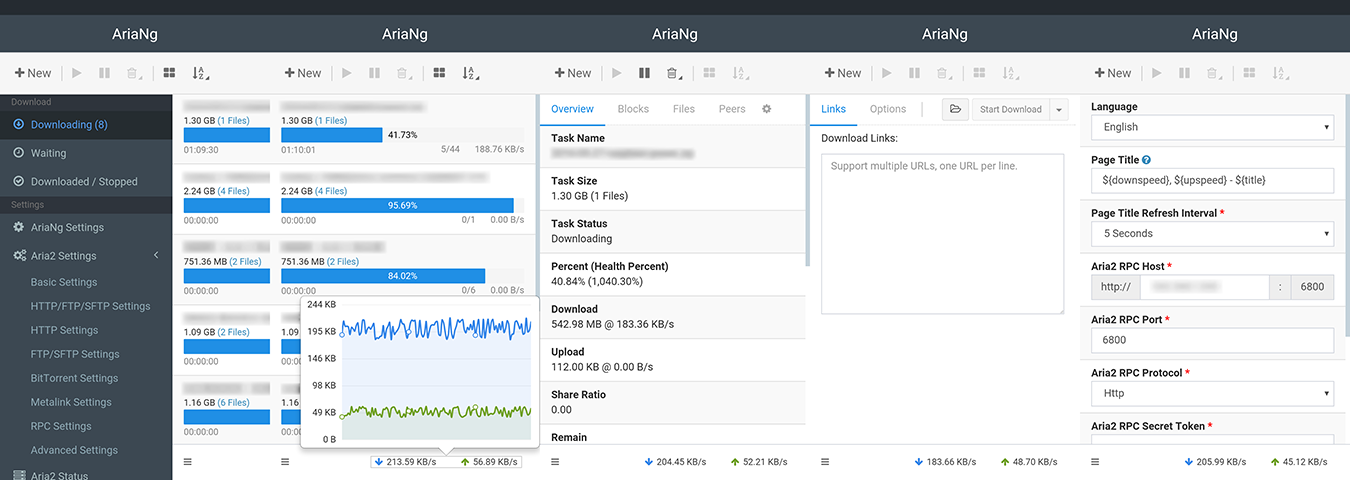
- Responsive design, supporting desktop and mobile devices
- User-friendly interface
- Sort tasks (by name, size, progress, remaining time, download speed, etc.), files, bittorrent peers
- Search tasks
- Retry tasks
- Adjust task order by dragging
- More information of tasks (health percentage, client information of bt peers, etc.)
- Filter files by specified file types (videos, audios, pictures, documents, applications, archives, etc.) or file extensions
- Tree view for multi-directory task
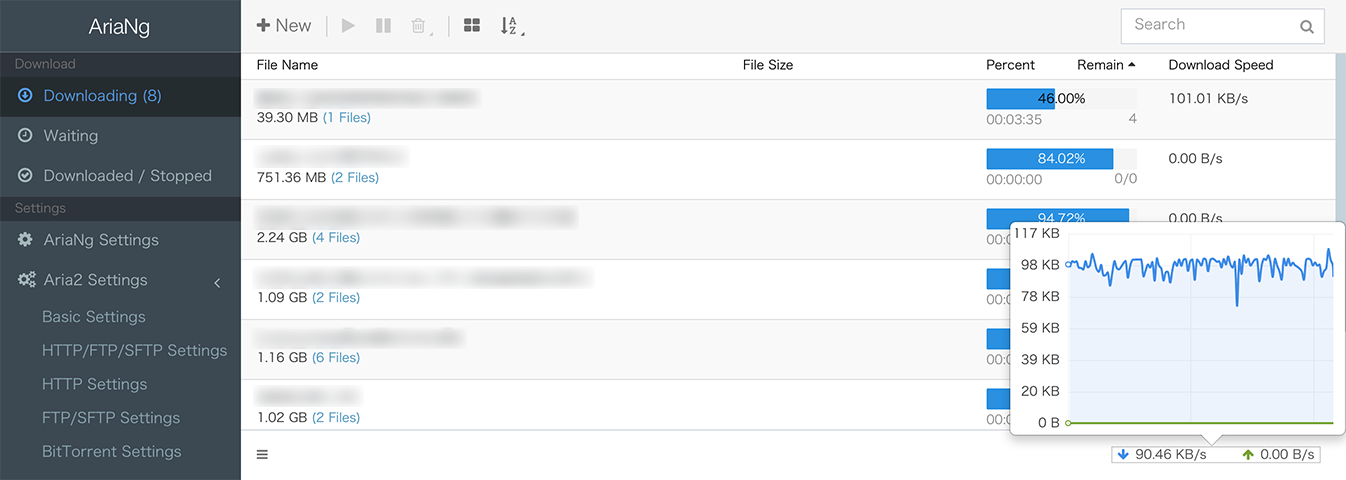
- Download / upload speed chart for aria2 or single task
- Full support for aria2 settings
- Dark theme
- Url command line api support
- Download finished notification
- Multi-languages support
- Multi aria2 RPC host support
- Exporting and Importing settings support
- Less bandwidth usage, only requesting incremental data
Screenshots
Desktop
Mobile Device
Installation
AriaNg now provides three versions, standard version, all-in-one version and AriaNg Native. Standard version is suitable for deployment in the web server, and provides on-demand loading. All-In-One version is suitable for local using, and you can download it and just open the only html file in browser. AriaNg Native is also suitable for local using, and is no need for browser.
Prebuilt release
Latest Release: https://github.com/mayswind/AriaNg/releases
Latest Daily Build (Standard Version): https://github.com/mayswind/AriaNg-DailyBuild/archive/master.zip
Building from source
Make sure you have Node.js, NPM and Gulp installed. Then download the source code, and follow these steps.
Standard Version
$ npm install
$ gulp clean build
All-In-One Version
$ npm install
$ gulp clean build-bundle
The builds will be placed in the dist directory.
Usage Notes
Since AriaNg standard version loads language resources asynchronously, you may not open index.html directly on the local file system to run AriaNg. It is recommended that you can use the all-in-one version or deploy AriaNg in a web container or download AriaNg Native that does not require a browser to run.
Documents
Demo
Please visit http://ariang.mayswind.net/latest
Third Party Extensions
There are some third-party applications based on AriaNg, so you can use AriaNg in more scenarios or devices. Please visit Third Party Extensions for more information.