
FeHelper--Web前端助手(Awesome!Chrome & Firefox & MS-Edge Extension, All in one Toolbox!) https://www.baidufe.com/fehelper/
 zxlie
6b67d6d713
发布新版本
zxlie
6b67d6d713
发布新版本
|
4 месяцев назад | |
|---|---|---|
| .cursor | 10 месяцев назад | |
| apps | 4 месяцев назад | |
| website | 9 месяцев назад | |
| .babelrc | 11 месяцев назад | |
| .cursorignore | 11 месяцев назад | |
| .gitignore | 10 месяцев назад | |
| LICENSE | 7 лет назад | |
| README.md | 5 месяцев назад | |
| gulpfile.js | 5 месяцев назад | |
| package.json | 10 месяцев назад | |
| release.sh | 10 месяцев назад |
README.md
FeHelper - 前端开发者的超级助手

**一个功能强大的开源浏览器扩展,专为前端开发者和职场人士设计**
[](https://chrome.google.com/webstore/detail/pkgccpejnmalmdinmhkkfafefagiiiad)
[](https://chrome.google.com/webstore/detail/pkgccpejnmalmdinmhkkfafefagiiiad)
[](https://chrome.google.com/webstore/detail/pkgccpejnmalmdinmhkkfafefagiiiad)
[](https://github.com/zxlie/FeHelper)
[](https://github.com/zxlie/FeHelper)
[](https://github.com/zxlie/FeHelper)

[🌐 官网地址](https://fehelper.com) • [📖 在线文档](https://fehelper.com/docs.html) • [💬 问题反馈](https://github.com/zxlie/FeHelper/issues) • [💰 FH$ 代币](https://www.gitfish.dev/repo/zxlie/FeHelper)
✨ 核心特性
FeHelper 是一个集成了 30+ 种实用工具 的浏览器扩展,支持 Chrome、Edge、Firefox 三大浏览器,为前端开发者和职场人士提供一站式解决方案。
🎯 产品展示
| 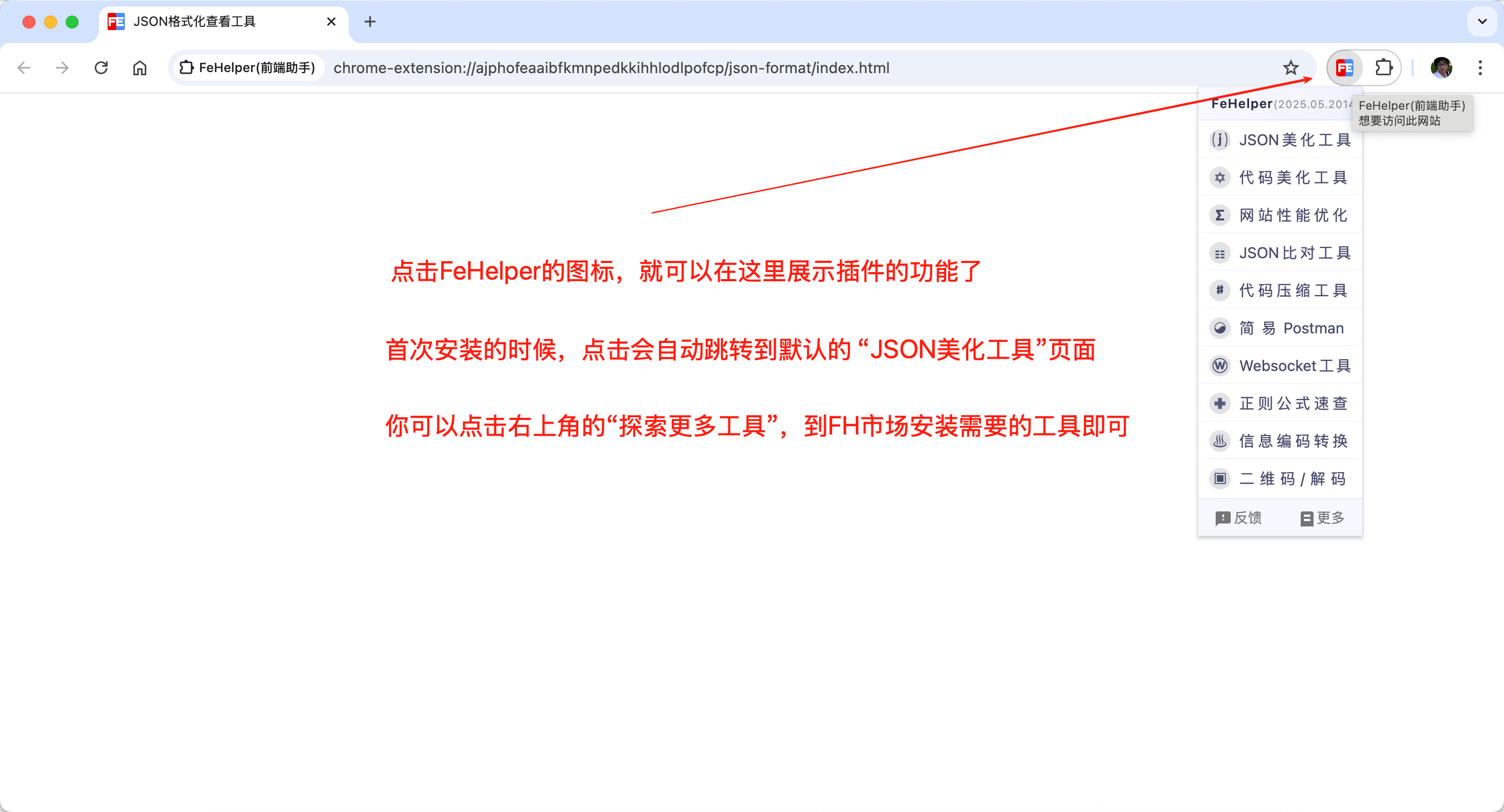 *FeHelper 主界面 - 30+ 种实用工具一键访问* | 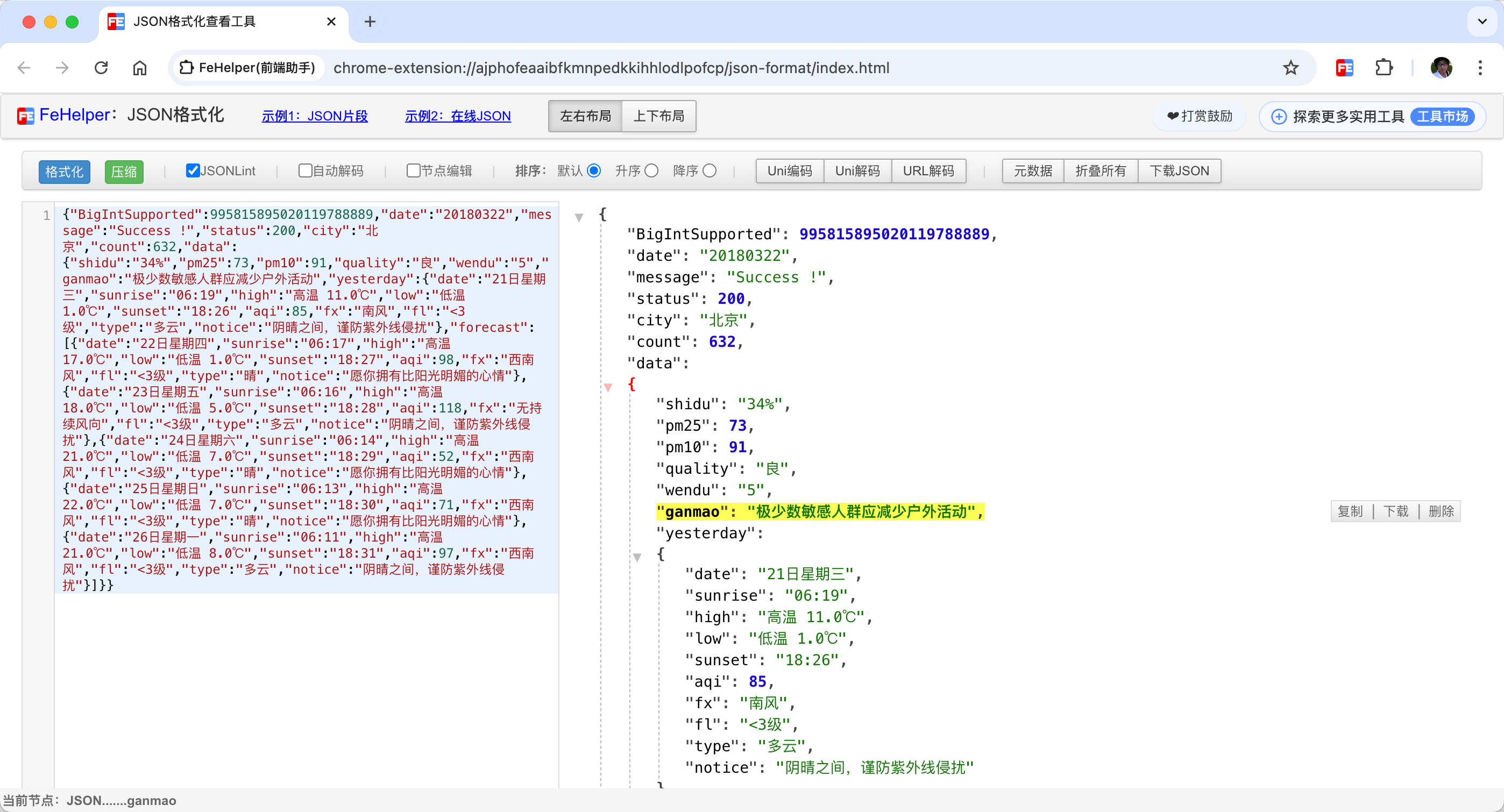 *JSON 格式化工具 - 支持美化、校验、压缩等功能* |
| 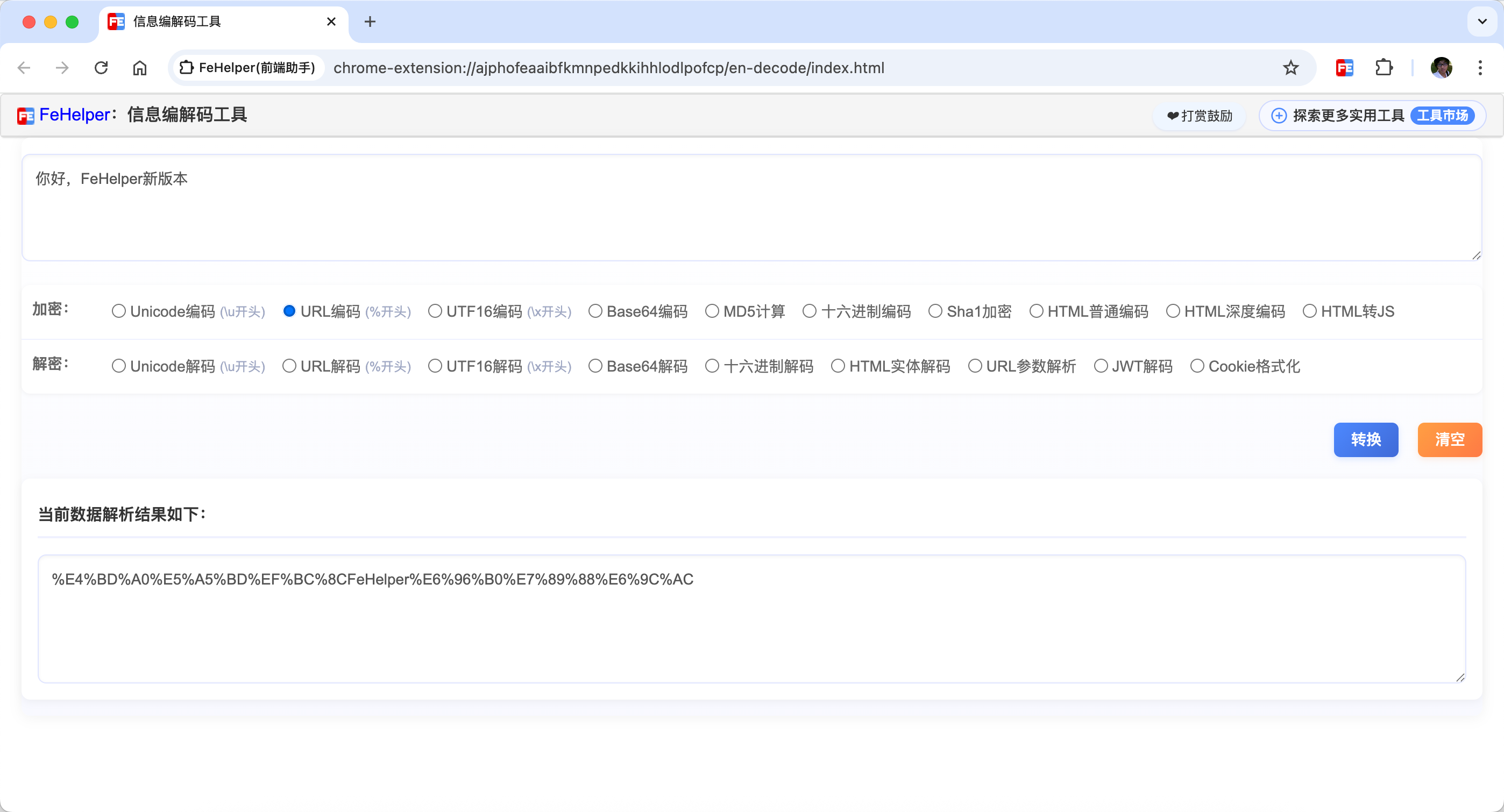 *编码解码工具 - 支持多种编码格式转换* | 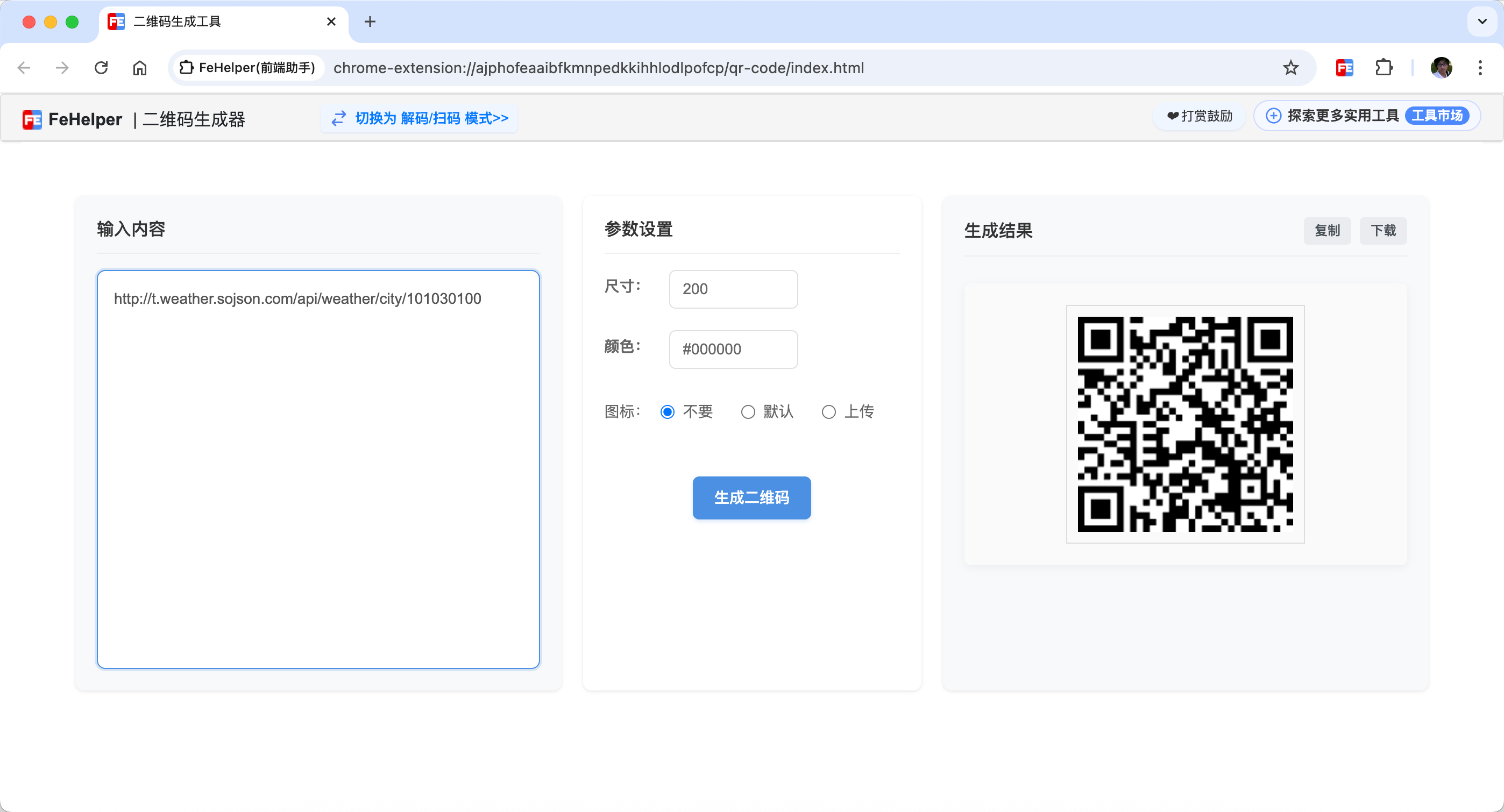 *二维码工具 - 快速生成和识别二维码* |
| 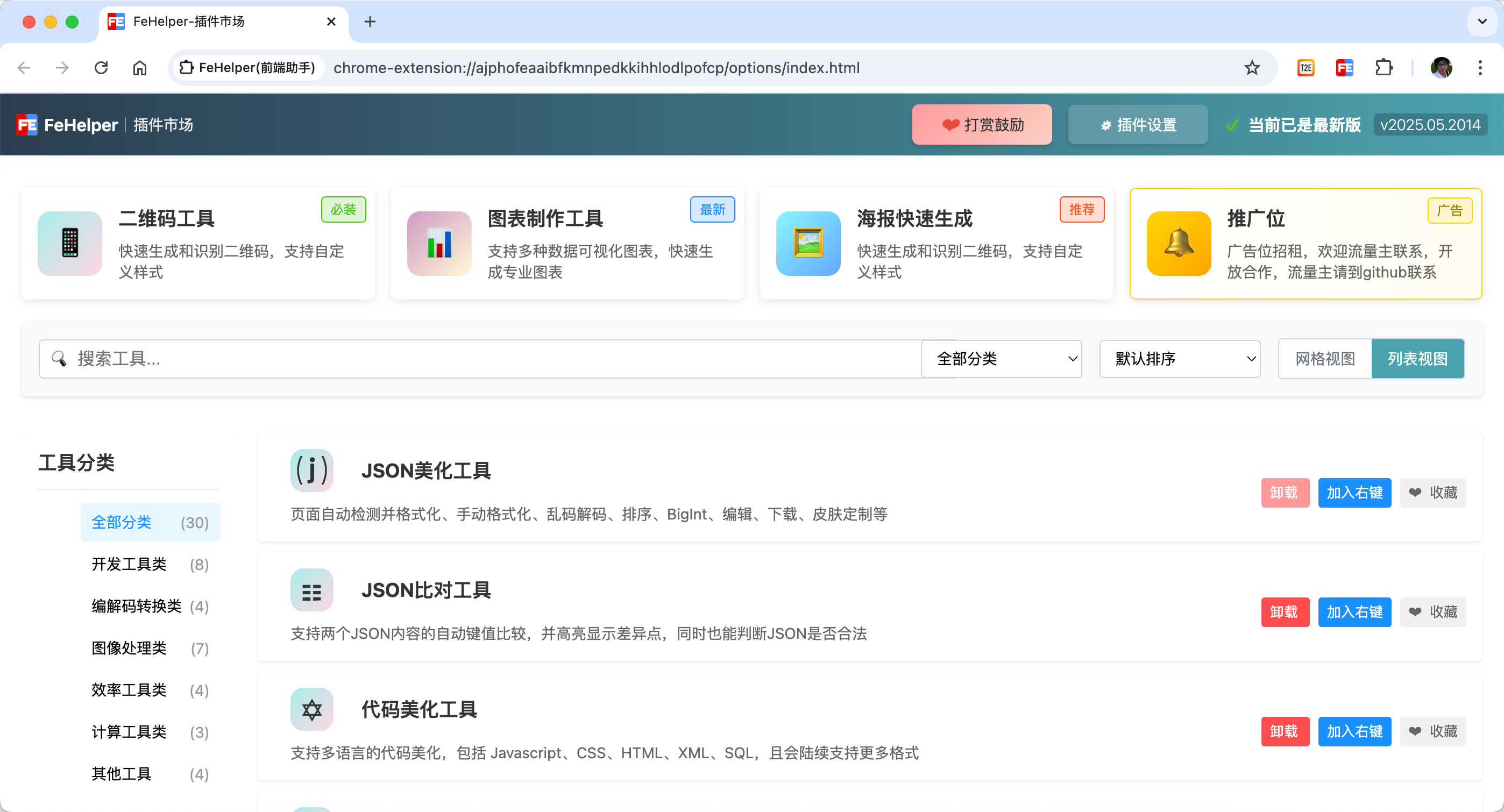 *个性化设置 - 支持工具排序、主题切换等* | |
🚀 最新更新
- 🤖 AI 智能助手:集成 AI 助手,提供代码优化建议、方案设计、资料查找等功能
- 📊 Mock 数据生成器:快速生成各种测试数据,支持个人信息、商业数据、技术数据等多种类型
- 🎨 海报制作工具:内置海报制作功能,支持多种模板和自定义设计
- 📈 图表制作工具:支持多种图表类型,数据可视化更简单
- 🌙 夜间模式:支持深色主题,保护眼睛,提升夜间使用体验
- 🔧 个性化排序:支持自定义工具排序,打造专属工作台
🛠️ 主要功能模块
📋 JSON 处理工具
- JSON 美化与校验:一键格式化、校验、压缩、解压 JSON 数据,支持大文件处理
- JSON 差异对比:支持两个 JSON 内容的自动键值比较,高亮显示差异点
- JSON 转 Excel:快速将 JSON 数据转换为 Excel 格式,便于数据分析
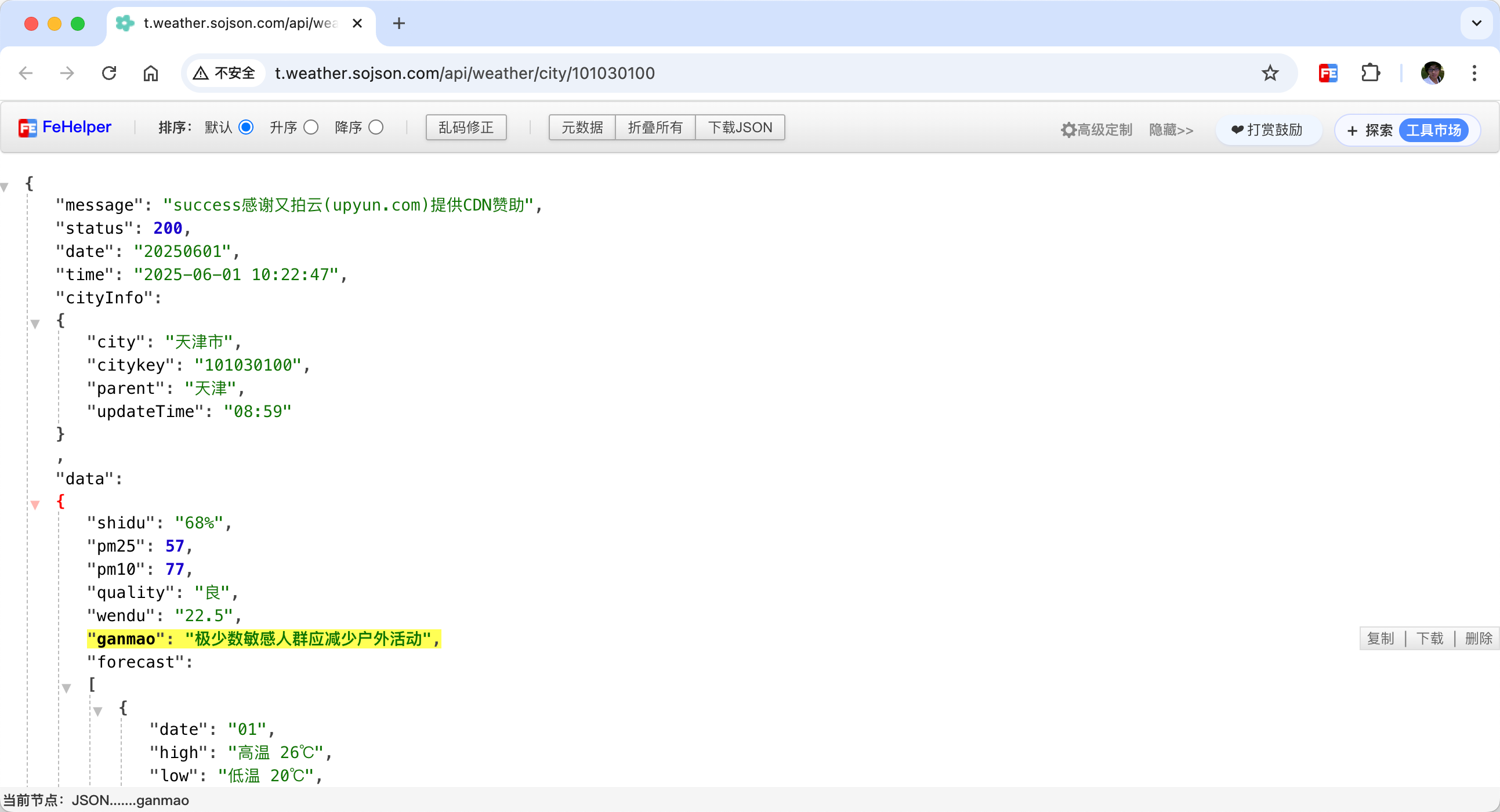
*JSON 自动格式化 - 智能识别并美化 JSON 数据*
🎨 代码处理工具
- 代码美化:支持 JavaScript、CSS、HTML、XML、SQL 等多种代码格式的美化
- 代码压缩:提供 HTML、JavaScript、CSS 代码压缩,优化网页加载速度
- 正则表达式:内置正则表达式测试工具,支持实时匹配和替换
🔗 接口调试工具
- 简易 Postman:提供接口调试功能,支持 GET/POST/HEAD 请求方式
- WebSocket 工具:支持 WebSocket 连接测试,消息发送和结果分析
- 接口 Mock:快速生成 Mock 数据,支持多种数据格式
🖼️ 图像处理工具
- 二维码生成与识别:快速生成二维码,支持文本、链接、名片等多种内容类型
- 图片转 Base64:支持图片与 Base64 格式的相互转换
- 网页截屏:支持可视区域截屏、全网页滚动截屏
- 页面取色:直接在网页上采集任意元素的色值
- SVG 转换器:支持 SVG 与图片格式的相互转换
⚡ 效率工具
- 时间戳转换:本地化时间与时间戳之间的相互转换,支持多时区
- 随机密码生成:支持指定长度和字符类型的密码生成
- 便签笔记:支持创建目录分类管理,支持一键导出/导入
- Markdown 转换:支持 HTML 转 Markdown,支持 PDF 格式下载
- 油猴工具:内置网页脚本注入功能,支持自定义脚本
🎯 适用场景
- 前端开发:JSON 处理、代码美化、接口调试、页面分析
- 数据分析:Excel 转 JSON、数据格式转换、图表制作
- UI/UX 设计:页面取色、图像处理、海报制作
- 办公效率:便签笔记、时间转换、密码生成
- 学习研究:正则表达式、编码解码、WebSocket 测试
📦 安装方式
🌐 浏览器商店(推荐)
| 浏览器 | 安装地址 | 评分 | 用户数 |
|---|---|---|---|
| Chrome | Chrome Web Store | ⭐⭐⭐⭐⭐ 4.7 | 200K+ |
| Edge | Microsoft Edge Add-ons | ⭐⭐⭐⭐⭐ 4.8 | 100K+ |
| Firefox | Firefox Add-ons | ⭐⭐⭐⭐⭐ 4.9 | 全新发布 |
🚀 无梯下载指南
无法访问浏览器商店?没关系!我们为您提供完整的离线下载方案:
| 方法 | 适用场景 | 下载地址 | 安装步骤 | 优势 |
|---|---|---|---|---|
| Chrome-Stats 镜像 | 国内用户首选 | Chrome-Stats | 1. 点击 "Download CRX file" 2. 打开 chrome://extensions3. 开启"开发者模式" 4. 拖拽 .crx 文件到页面 |
✅ 国内直接访问 ✅ 一键安装 ✅ 官方版本 |
| ZIP 文件安装 | 需要源码版本 | Chrome-Stats ZIP | 1. 点击 "Download ZIP file" 2. 解压到本地文件夹 3. 开启"开发者模式" 4. 选择"加载已解压的扩展程序" |
✅ 可查看源码 ✅ 支持自定义 ✅ 学习开发 |
| GitHub 源码 | 开发者使用 | GitHub 仓库 | 1. git clone 克隆仓库2. 打开 chrome://extensions3. 开启"开发者模式" 4. 选择 apps 目录 |
✅ 最新代码 ✅ 参与开发 ✅ 社区贡献 |
📋 详细安装步骤
| **方法一:CRX 文件安装(推荐)** 1. 访问 [Chrome-Stats](https://chrome-stats.com/d/pkgccpejnmalmdinmhkkfafefagiiiad) 2. 点击 "Download CRX file" 下载 3. 在 Chrome 地址栏输入:`chrome://extensions` 4. 开启右上角的"开发者模式" 5. 将 .crx 文件拖拽到扩展页面 6. 点击"添加扩展程序"完成安装 | **方法二:ZIP 文件安装** 1. 在 Chrome-Stats 页面点击 "Download ZIP file" 2. 将 ZIP 文件解压到本地文件夹 3. 在 Chrome 地址栏输入:`chrome://extensions` 4. 开启右上角的"开发者模式" 5. 点击"加载已解压的扩展程序" 6. 选择解压后的文件夹完成安装 |
🔧 开发者安装
# 克隆仓库
git clone https://github.com/zxlie/FeHelper.git

# 进入项目目录
cd FeHelper

# 在 Chrome 中加载扩展
# 1. 打开 chrome://extensions/
# 2. 开启"开发者模式"
# 3. 点击"加载已解压的扩展程序"
# 4. 选择 apps 目录
📱 其他平台
- 微信小程序:扫码即可使用,无需安装
- 在线版本:fehelper.com 在线使用
⚠️ 重要提示
- Chrome 可能会提示"无法从此网站添加应用",这是正常现象,选择继续即可
- 安装后建议关闭"开发者模式"以避免警告提示
- 扩展功能与商店版本完全一致,支持自动更新检查
- 如遇安装问题,可在 GitHub Issues 区域反馈
📊 项目统计
| 指标 | 数值 |
|---|---|
| 开发历史 | 13+ 年 (2011-至今) |
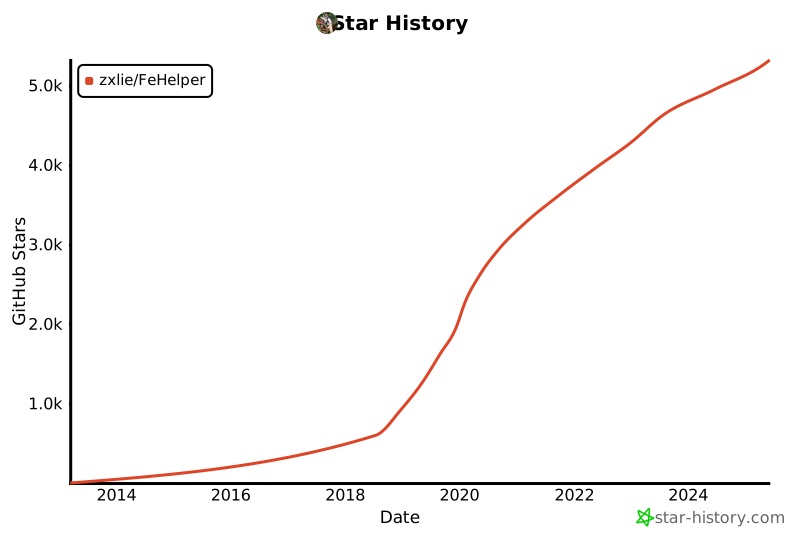
| GitHub Stars | 5.3K+ |
| GitHub Forks | 1.3K+ |
| Chrome 用户 | 200K+ |
| 提交次数 | 500+ |
| 工具数量 | 30+ |
| 支持浏览器 | Chrome, Edge, Firefox |
🌟 社区活跃度
- 📈 持续更新:2023年至今已有 160+ 次提交
- 🐛 问题响应:平均 24 小时内响应 issue
- 💡 功能建议:欢迎提交 feature request
- 🤝 贡献代码:欢迎提交 Pull Request
💰 FH$ 代币
FeHelper 在 GitFish 上发布了 FH$ 代币,对虚拟货币感兴趣的用户可以关注:

🤝 贡献指南
我们欢迎社区的贡献!如果您有兴趣参与 FeHelper 的开发,请按照以下步骤进行:
- Fork 本仓库并克隆到本地
- 创建新分支:
git checkout -b feature/YourFeature - 提交更改:
git commit -m 'Add some feature' - 推送分支:
git push origin feature/YourFeature - 创建 Pull Request
开发规范
- 遵循 Chrome Extension Manifest V3 最佳实践
- 保持代码风格一致,添加必要的注释
- 新功能需要包含完整的 HTML、JS、CSS 文件
- 在
manifest.json中正确配置新模块
📞 联系我们
- 🌐 官网:fehelper.com
- 📧 邮箱:[email protected]
- 💬 微信:398824681
- 🐛 问题反馈:GitHub Issues
- 💰 FH$ 代币:GitFish
📄 许可证
本项目采用 MIT License 开源协议。
**⭐ 如果 FeHelper 对您有帮助,请给我们一个 Star!**
[](https://star-history.com/#zxlie/FeHelper&Date)