
AI模型聚合管理中转分发系统,一个应用管理您的所有AI模型,支持将多种大模型转为统一格式调用,支持OpenAI、Claude、Gemini等格式,可供个人或者企业内部管理与分发渠道使用。
 JustSong
889af8b2db
fix: fix redemption can be used multiple times in some cases
JustSong
889af8b2db
fix: fix redemption can be used multiple times in some cases
|
před 2 roky | |
|---|---|---|
| .github | před 2 roky | |
| bin | před 2 roky | |
| common | před 2 roky | |
| controller | před 2 roky | |
| i18n | před 2 roky | |
| middleware | před 2 roky | |
| model | před 2 roky | |
| router | před 2 roky | |
| web | před 2 roky | |
| .gitignore | před 3 roky | |
| Dockerfile | před 3 roky | |
| LICENSE | před 3 roky | |
| README.en.md | před 2 roky | |
| README.md | před 2 roky | |
| VERSION | před 2 roky | |
| docker-compose.yml | před 2 roky | |
| go.mod | před 2 roky | |
| go.sum | před 2 roky | |
| main.go | před 2 roky | |
| one-api.service | před 2 roky |
README.en.md
中文 | English




Deployment Tutorial · Usage · Feedback · Screenshots · Live Demo · FAQ · Related Projects · Donate
Warning: This README is translated by ChatGPT. Please feel free to submit a PR if you find any translation errors.
Warning: The Docker image for English version is
justsong/one-api-en.Note: The latest image pulled from Docker may be an
alpharelease. Specify the version manually if you require stability.
Features
- Supports multiple API access channels:
- Official OpenAI channel (support proxy configuration)
- Azure OpenAI API
- API Distribute
- OpenAI-SB
- API2D
- OhMyGPT
- AI Proxy (invitation code:
OneAPI) - Custom channel: Various third-party proxy services not included in the list
- Supports access to multiple channels through load balancing.
- Supports stream mode that enables typewriter-like effect through stream transmission.
- Supports multi-machine deployment. See here for more details.
- Supports token management that allows setting token expiration time and usage count.
- Supports voucher management that enables batch generation and export of vouchers. Vouchers can be used for account balance replenishment.
- Supports channel management that allows bulk creation of channels.
- Supports user grouping and channel grouping for setting different rates for different groups.
- Supports channel model list configuration.
- Supports quota details checking.
- Supports user invite rewards.
- Allows display of balance in USD.
- Supports announcement publishing, recharge link setting, and initial balance setting for new users.
- Offers rich customization options:
- Supports customization of system name, logo, and footer.
- Supports customization of homepage and about page using HTML & Markdown code, or embedding a standalone webpage through iframe.
- Supports management API access through system access tokens.
- Supports Cloudflare Turnstile user verification.
- Supports user management and multiple user login/registration methods:
- Email login/registration and password reset via email.
- GitHub OAuth.
- WeChat Official Account authorization (requires additional deployment of WeChat Server).
- Immediate support and encapsulation of other major model APIs as they become available.
Deployment
Docker Deployment
Deployment command: docker run --name one-api -d --restart always -p 3000:3000 -e TZ=Asia/Shanghai -v /home/ubuntu/data/one-api:/data justsong/one-api-en
Update command: docker run --rm -v /var/run/docker.sock:/var/run/docker.sock containrrr/watchtower -cR
The first 3000 in -p 3000:3000 is the port of the host, which can be modified as needed.
Data will be saved in the /home/ubuntu/data/one-api directory on the host. Ensure that the directory exists and has write permissions, or change it to a suitable directory.
Nginx reference configuration:
server{
   server_name openai.justsong.cn;  # Modify your domain name accordingly

   location / {
          client_max_body_size  64m;
          proxy_http_version 1.1;
          proxy_pass http://localhost:3000;  # Modify your port accordingly
          proxy_set_header Host $host;
          proxy_set_header X-Forwarded-For $remote_addr;
          proxy_cache_bypass $http_upgrade;
          proxy_set_header Accept-Encoding gzip;
   }
}
Next, configure HTTPS with Let's Encrypt certbot:
# Install certbot on Ubuntu:
sudo snap install --classic certbot
sudo ln -s /snap/bin/certbot /usr/bin/certbot
# Generate certificates & modify Nginx configuration
sudo certbot --nginx
# Follow the prompts
# Restart Nginx
sudo service nginx restart
The initial account username is root and password is 123456.
Manual Deployment
Download the executable file from GitHub Releases or compile from source:
git clone https://github.com/songquanpeng/one-api.git

# Build the frontend
cd one-api/web
npm install
npm run build

# Build the backend
cd ..
go mod download
go build -ldflags "-s -w" -o one-api
Run:
chmod u+x one-api
./one-api --port 3000 --log-dir ./logs
Access http://localhost:3000/ and log in. The initial account username is
rootand password is123456.
For more detailed deployment tutorials, please refer to this page.
Multi-machine Deployment
- Set the same
SESSION_SECRETfor all servers. - Set
SQL_DSNand use MySQL instead of SQLite. All servers should connect to the same database. - Set the
NODE_TYPEfor all non-master nodes toslave. - Set
SYNC_FREQUENCYfor servers to periodically sync configurations from the database. - Non-master nodes can optionally set
FRONTEND_BASE_URLto redirect page requests to the master server. - Install Redis separately on non-master nodes, and configure
REDIS_CONN_STRINGso that the database can be accessed with zero latency when the cache has not expired. - If the main server also has high latency accessing the database, Redis must be enabled and
SYNC_FREQUENCYmust be set to periodically sync configurations from the database.
Please refer to the environment variables section for details on using environment variables.
Deployment on Control Panels (e.g., Baota)
Refer to #175 for detailed instructions.
If you encounter a blank page after deployment, refer to #97 for possible solutions.
Deployment on Third-Party Platforms
Deploy on Sealos
Deployment on Zeabur
Configuration
The system is ready to use out of the box.
You can configure it by setting environment variables or command line parameters.
After the system starts, log in as the root user to further configure the system.
Usage
Add your API Key on the Channels page, and then add an access token on the Tokens page.
You can then use your access token to access One API. The usage is consistent with the OpenAI API.
In places where the OpenAI API is used, remember to set the API Base to your One API deployment address, for example: https://openai.justsong.cn. The API Key should be the token generated in One API.
Note that the specific API Base format depends on the client you are using.
graph LR
    A(User)
    A --->|Request| B(One API)
    B -->|Relay Request| C(OpenAI)
    B -->|Relay Request| D(Azure)
    B -->|Relay Request| E(Other downstream channels)
To specify which channel to use for the current request, you can add the channel ID after the token, for example: Authorization: Bearer ONE_API_KEY-CHANNEL_ID.
Note that the token needs to be created by an administrator to specify the channel ID.
If the channel ID is not provided, load balancing will be used to distribute the requests to multiple channels.
Environment Variables
REDIS_CONN_STRING: When set, Redis will be used as the storage for request rate limiting instead of memory.- Example:
REDIS_CONN_STRING=redis://default:redispw@localhost:49153
- Example:
SESSION_SECRET: When set, a fixed session key will be used to ensure that cookies of logged-in users are still valid after the system restarts.- Example:
SESSION_SECRET=random_string
- Example:
SQL_DSN: When set, the specified database will be used instead of SQLite. Please use MySQL version 8.0.- Example:
SQL_DSN=root:123456@tcp(localhost:3306)/oneapi
- Example:
FRONTEND_BASE_URL: When set, the specified frontend address will be used instead of the backend address.- Example:
FRONTEND_BASE_URL=https://openai.justsong.cn
- Example:
SYNC_FREQUENCY: When set, the system will periodically sync configurations from the database, with the unit in seconds. If not set, no sync will happen.- Example:
SYNC_FREQUENCY=60
- Example:
NODE_TYPE: When set, specifies the node type. Valid values aremasterandslave. If not set, it defaults tomaster.- Example:
NODE_TYPE=slave
- Example:
CHANNEL_UPDATE_FREQUENCY: When set, it periodically updates the channel balances, with the unit in minutes. If not set, no update will happen.- Example:
CHANNEL_UPDATE_FREQUENCY=1440
- Example:
CHANNEL_TEST_FREQUENCY: When set, it periodically tests the channels, with the unit in minutes. If not set, no test will happen.- Example:
CHANNEL_TEST_FREQUENCY=1440
- Example:
POLLING_INTERVAL: The time interval (in seconds) between requests when updating channel balances and testing channel availability. Default is no interval.- Example:
POLLING_INTERVAL=5
- Example:
Command Line Parameters
--port <port_number>: Specifies the port number on which the server listens. Defaults to3000.- Example:
--port 3000
- Example:
--log-dir <log_dir>: Specifies the log directory. If not set, the logs will not be saved.- Example:
--log-dir ./logs
- Example:
--version: Prints the system version number and exits.--help: Displays the command usage help and parameter descriptions.
Screenshots
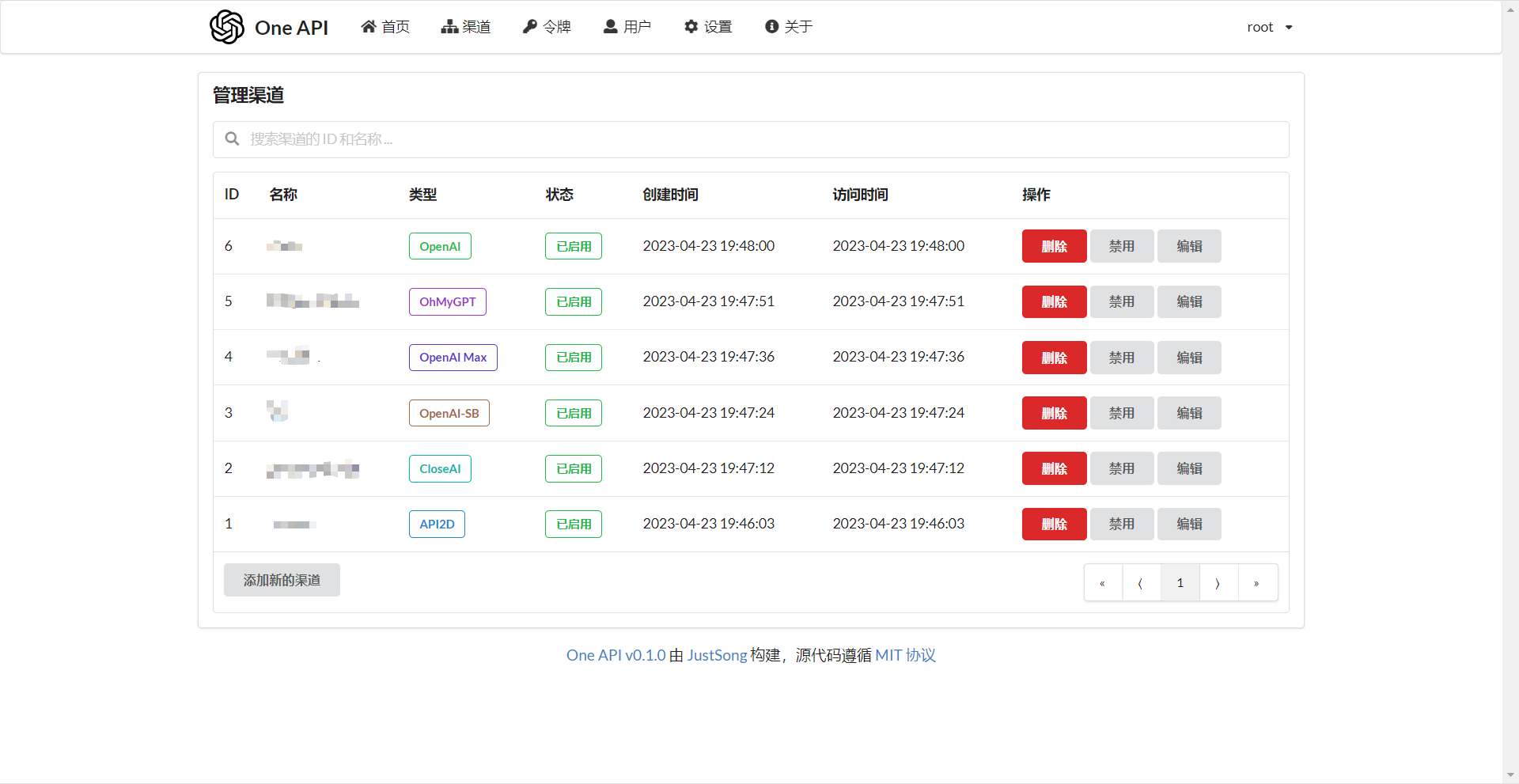
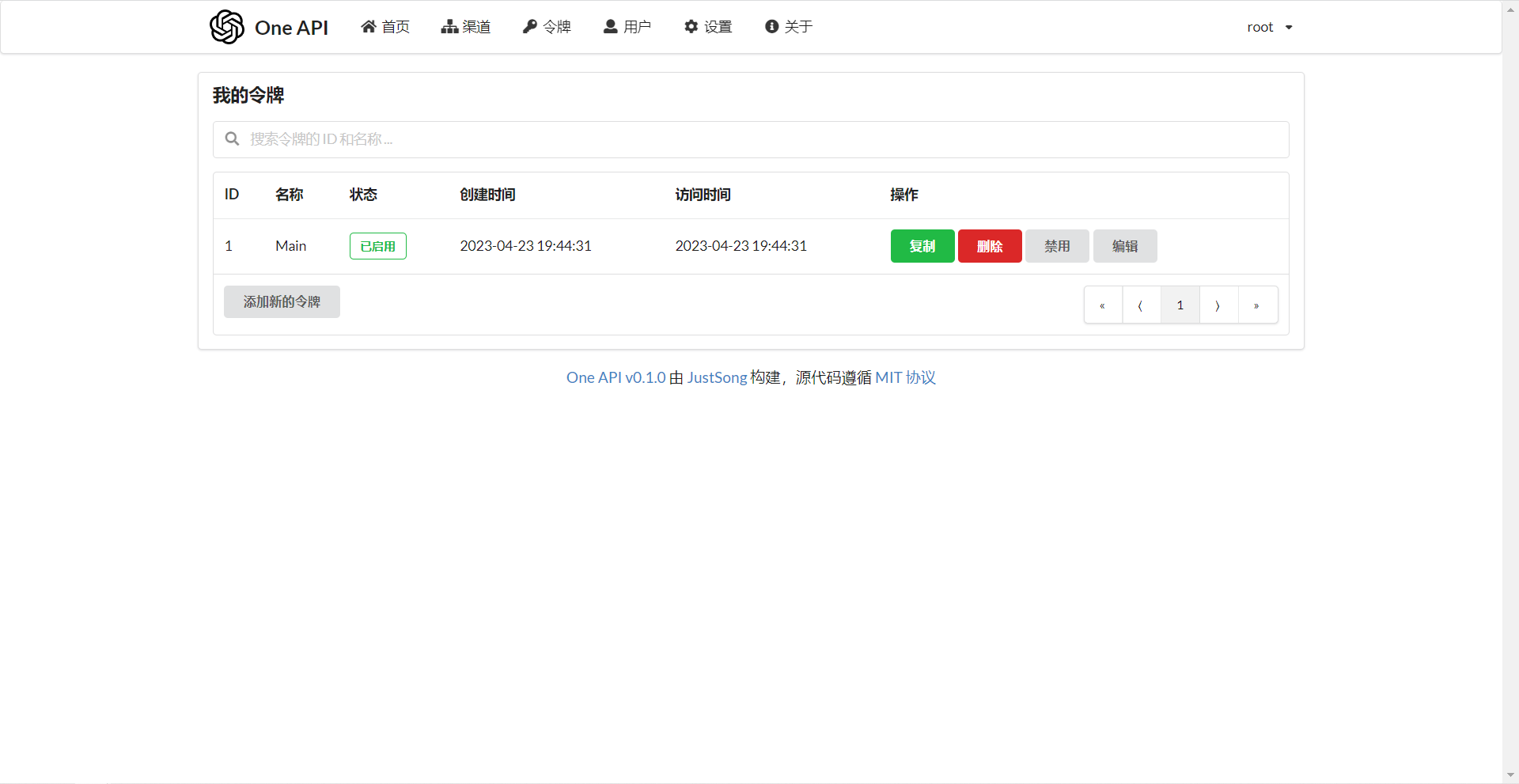
FAQ
- What is quota? How is it calculated? Does One API have quota calculation issues?
- Quota = Group multiplier * Model multiplier * (number of prompt tokens + number of completion tokens * completion multiplier)
- The completion multiplier is fixed at 1.33 for GPT3.5 and 2 for GPT4, consistent with the official definition.
- If it is not a stream mode, the official API will return the total number of tokens consumed. However, please note that the consumption multipliers for prompts and completions are different.
- Why does it prompt "insufficient quota" even though my account balance is sufficient?
- Please check if your token quota is sufficient. It is separate from the account balance.
- The token quota is used to set the maximum usage and can be freely set by the user.
- It says "No available channels" when trying to use a channel. What should I do?
- Please check the user and channel group settings.
- Also check the channel model settings.
- Channel testing reports an error: "invalid character '<' looking for beginning of value"
- This error occurs when the returned value is not valid JSON but an HTML page.
- Most likely, the IP of your deployment site or the node of the proxy has been blocked by CloudFlare.
- ChatGPT Next Web reports an error: "Failed to fetch"
- Do not set
BASE_URLduring deployment. - Double-check that your interface address and API Key are correct.
- Do not set
Related Projects
FastGPT: Build an AI knowledge base in three minutes
Note
This project is an open-source project. Please use it in compliance with OpenAI's Terms of Use and applicable laws and regulations. It must not be used for illegal purposes.
This project is released under the MIT license. Based on this, attribution and a link to this project must be included at the bottom of the page.
The same applies to derivative projects based on this project.
If you do not wish to include attribution, prior authorization must be obtained.
According to the MIT license, users should bear the risk and responsibility of using this project, and the developer of this open-source project is not responsible for this.