
 Tienson Qin
9f2346ebbd
refactor(editor): remove *warn-on-infer*
Tienson Qin
9f2346ebbd
refactor(editor): remove *warn-on-infer*
|
преди 5 години | |
|---|---|---|
| .github | преди 5 години | |
| resources | преди 5 години | |
| src | преди 5 години | |
| .gitignore | преди 5 години | |
| .projectile | преди 5 години | |
| CODE_OF_CONDUCT.md | преди 5 години | |
| LICENSE.md | преди 5 години | |
| README.md | преди 5 години | |
| clojure.bat | преди 5 години | |
| deps.edn | преди 5 години | |
| externs.js | преди 5 години | |
| gulpfile.js | преди 5 години | |
| package.json | преди 5 години | |
| postcss.config.js | преди 5 години | |
| shadow-cljs.edn | преди 5 години | |
| start-windows.bat | преди 5 години | |
| tailwind.config.js | преди 5 години | |
| tailwind.css | преди 5 години | |
| yarn.lock | преди 5 години |
README.md
Logseq






A local-first, non-linear, outliner notebook for organizing and sharing your personal knowledge base.
Use it to organize your todo list, to write your journals, or to record your unique life.
Why Logseq?
Logseq is an open-source platform for knowledge sharing and management. It focuses on privacy, longevity, and user control.
The server will never store or analyze your private notes. Your data are plain text files and we currently support both Markdown and Emacs Org mode (more to be added soon).
In the unlikely event that the website is down or cannot be maintained, your data is, and will always be yours.
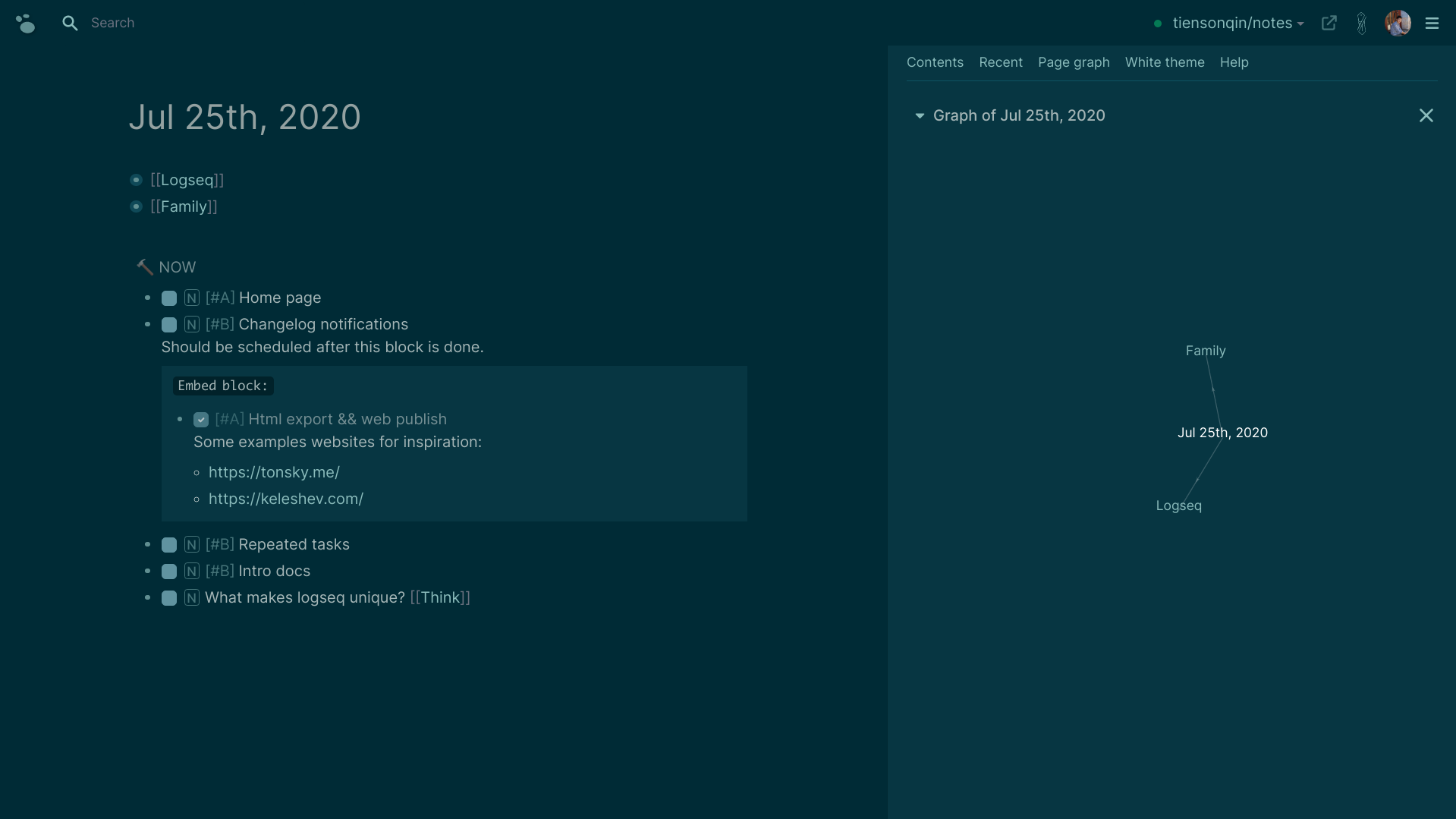
How can I use it?
Make sure you have registered a GitHub account and already created a repository (could be an old one). Currently we only support GitHub, but more sync options (e.g. Gitlab, Dropbox, Google Drive, WebDAV, etc.) will be added soon.
Visit our website https://logseq.com/.
Click the "Login with GitHub" button in the upper-right corner.
Following the on-screen instructions, install Logseq app on your selected repository.
Start writing and have fun!
Credits
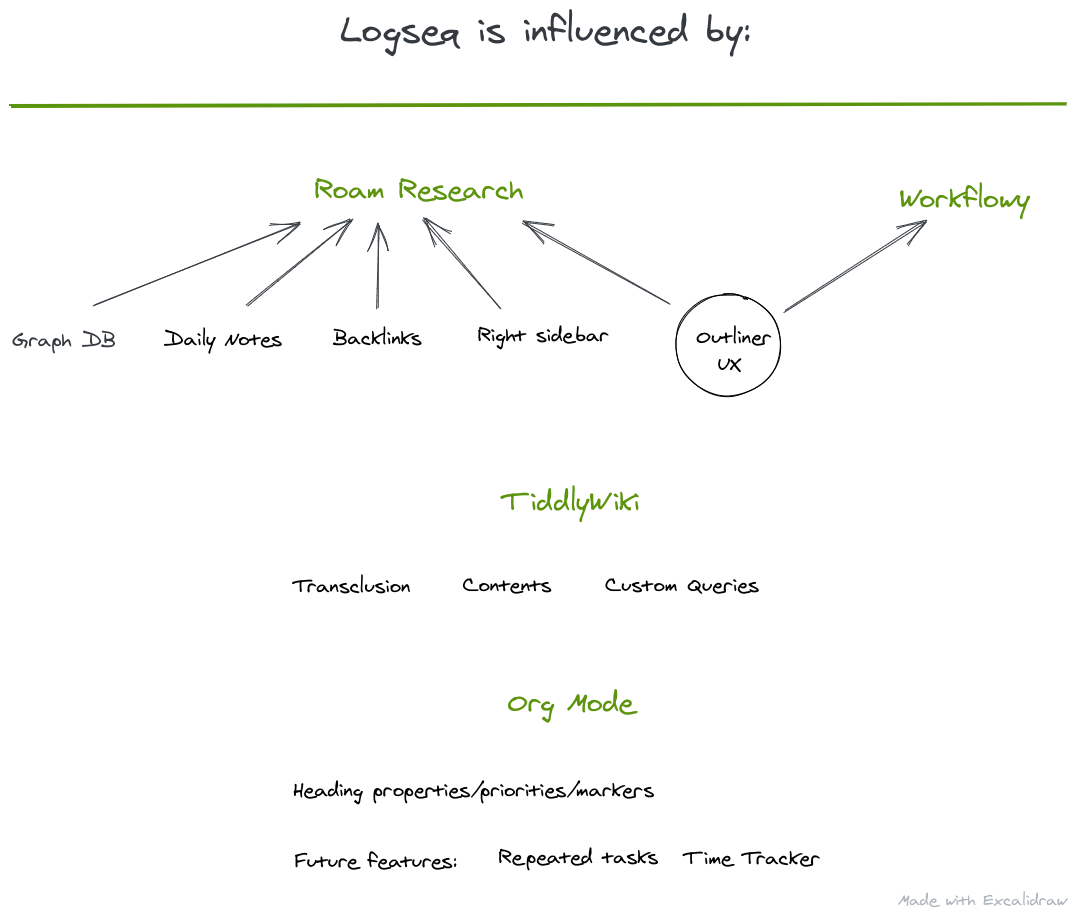
Logseq is hugely inspired by Roam Research, Org Mode, Tiddlywiki, Workflowy and Cuekeeper, hats off to all of them!
Logseq is also made possible by the following projects:
- Clojure & ClojureScript - A dynamic, functional, general-purpose programming language
- DataScript - Immutable database and Datalog query-engine for Clojure, ClojureScript and JS
- OCaml & Angstrom, for the document parser
- isomorphic-git - A pure JavaScript implementation of Git for node and browsers
- sci - Small Clojure Interpreter
Learn more
- Our blog: https://logseq.com/blog - Please be sure to visit our About page for the latest updates of the app
- Twitter: https://twitter.com/logseq
- Discord: https://discord.gg/KpN4eHY - Where we answer questions, disucss workflows and share tips
- Github: https://github.com/logseq/logseq - everyone is encouraged to report issues!
The following is for developers and designers who want to build and run Logseq locally and contribute to this project.
Set up development environment
If you are on Windows, use the Windows setup below.
1. Requirements
2. Create a GitHub app
Follow the guide at https://docs.github.com/en/free-pro-team@latest/developers/apps/creating-a-github-app, where the user authorization "Callback URL" should be http://localhost:3000/auth/github.
Remember to download the private-key.pem which will be used for the next step. Also take note of your App ID, Client ID, and your newly generated Client Secret for use in step 4.

Add contents permission:

3. Set up PostgreSQL
Make sure you have PostgreSQL running. You can check if it's running with pg_ctl -D /usr/local/var/postgres status and use pg_ctl -D /usr/local/var/postgres start to start it up. You'll also need to make a Logseq DB in PostgreSQL. Do that with createdb logseq.
4. Add environment variables
export ENVIRONMENT="dev"
export JWT_SECRET="xxxxxxxxxxxxxxxxxxxx"
export COOKIE_SECRET="xxxxxxxxxxxxxxxxxxxx"
export DATABASE_URL="postgres://localhost:5432/logseq"
export GITHUB_APP2_NAME="logseq-test-your-username-app"
export GITHUB_APP2_ID="your id"
export GITHUB_APP2_KEY="xxxxxxxxxxxxxxxxxxxx" #Your Github App's Client ID
export GITHUB_APP2_SECRET="xxxxxxxxxxxxxxxxxxxx"
# Replace your-code-directory and your-app.private-key.pem with yours
export GITHUB_APP_PEM="/your-code-directory/your-app.private-key.pem"
export LOG_PATH="/tmp/logseq"
export PG_USERNAME="xxx"
export PG_PASSWORD="xxx"
5. Compile to JavaScript
git clone https://github.com/logseq/logseq
yarn
yarn watch
6. Start the Clojure server
Download jar
Go to https://github.com/logseq/logseq/releases, download the
logseq.jarand put it in thelogseqdirectory.Run jar
java -Duser.timezone=UTC -jar logseq.jar
7. Open the browser
Open http://localhost:3000.
Windows setup
1. Required software
Install Clojure through scoop-clojure: https://github.com/littleli/scoop-clojure. You can also install Node.js, Yarn and PostgreSQL through scoop if you want to.
2. Create a GitHub app
Follow Step 2 above if you want Logseq to connect to GitHub. If not, skip this section. The GITHUB_APP_PEM variable in the run-windows.bat needs to be set with the correct directory for your system.
3. Set up PostgreSQL
Make sure you have PostgreSQL running. You can check if it's running with pg_ctl status and use pg_ctl start to start it up. You'll also need to make a Logseq DB in PostgreSQL. Do that with createdb logseq.
4. Download the Clojure server
Go to https://github.com/logseq/logseq/releases, download the logseq.jar and move into the root directory of repo.
5. Start Logseq
Run start-windows.bat which is located in the repo. This will open a second terminal that runs Logseq's backend server. To completely stop Logseq, you'll need to also close that second terminal that was opened.
start-windows.bat will try to start PostgreSQL for you if it's not already started.
Build errors
1. The required namespace devtools.preload is not available.
Upload your clojure to at least version 1.10.1.739.